Syncing SharePoint documents into a Dify knowledge base with Graph API delta

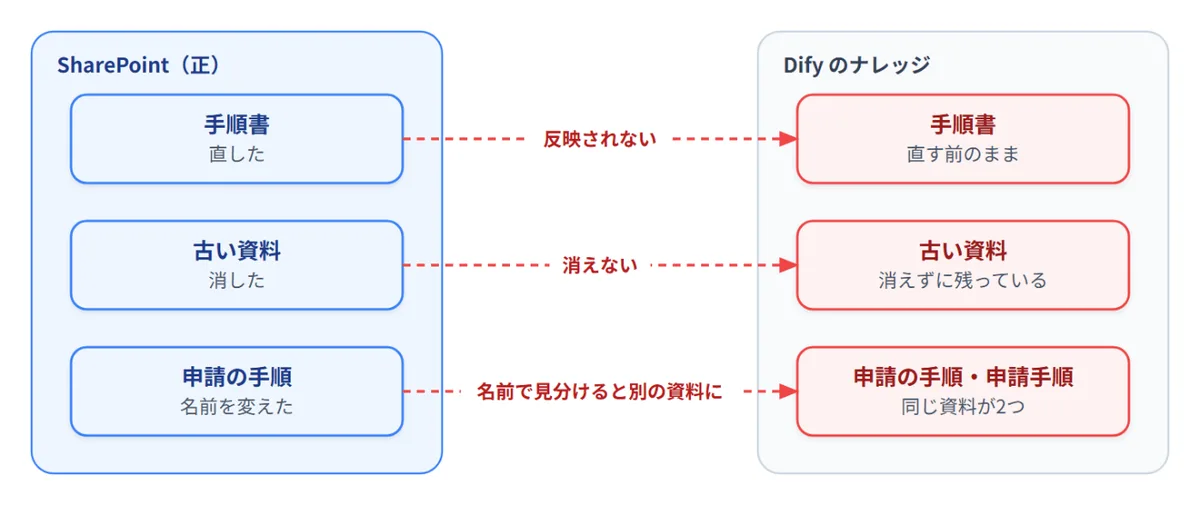
The article shows how to keep a Dify knowledge base in step with documents stored in SharePoint. Dify's HTTP block calls the Microsoft Graph API[2], and a Python code block processes the returned JSON. The app gets its access token from Microsoft Entra ID[3] by signing in as an app rather than as a user. The author recommends the Sites.Selected permission so the app can read only the sites chosen for the bot.
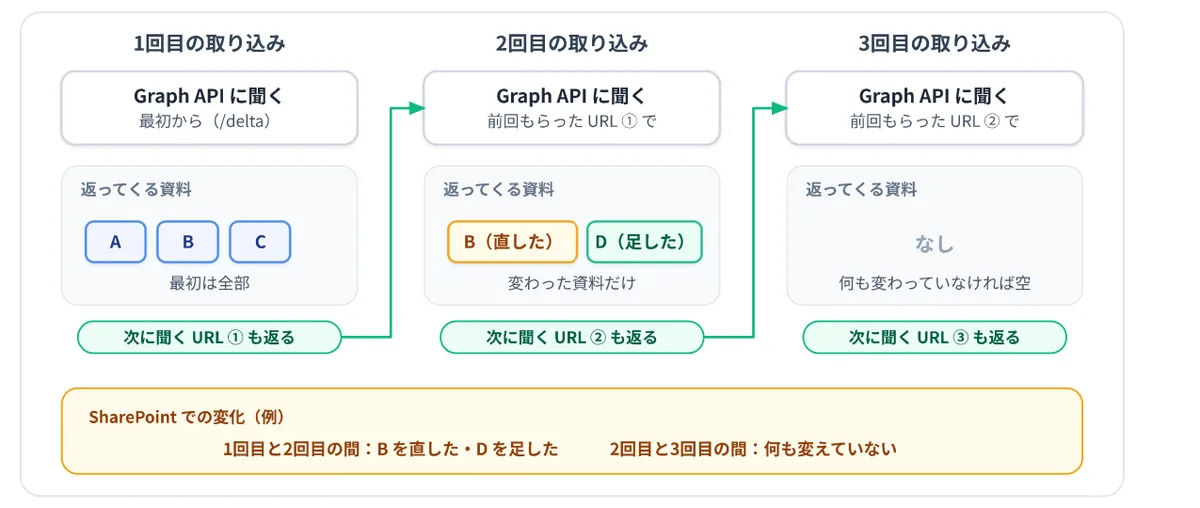
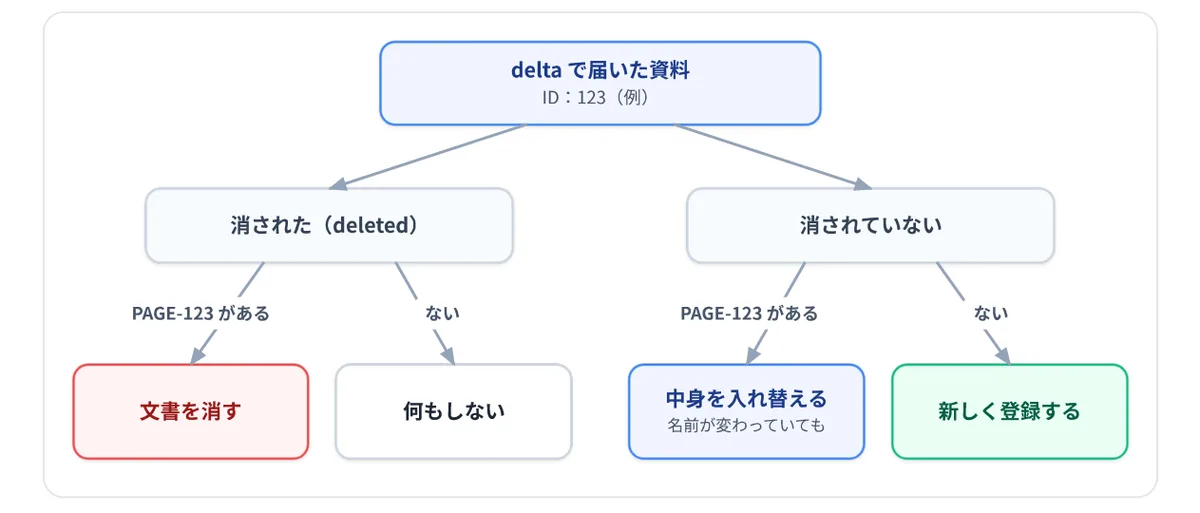
To import only what has changed, the workflow uses delta[1], which returns items modified since the last run. Deleted files carry a deleted field, so the matching knowledge documents are removed, and each document name starts with the SharePoint ID so that a renamed file is not duplicated. Because a Dify workflow has a run-time limit, the import is split with $top and continues through nextLink, and the final deltaLink is saved as the position in a knowledge document.
Site pages need extra care: their HTML body is not stored in display order, because each web part carries position data that SharePoint uses to lay out the page. The article reorders the parts by that position information so the text follows what readers see. A separate check run also compares the full list with the knowledge base to catch documents missed by an interrupted import.
Repository Dify github.com
Open source platform for building AI agents, RAG pipelines and workflows, with model support and self-hosted or cloud deployment.
Sources
-
JPZenn JA
Dify × SharePoint 連携——Graph API の delta でナレッジを差分同期する




 archive