SSO from Google Workspace to AWS and checking which S3 buckets a role can see
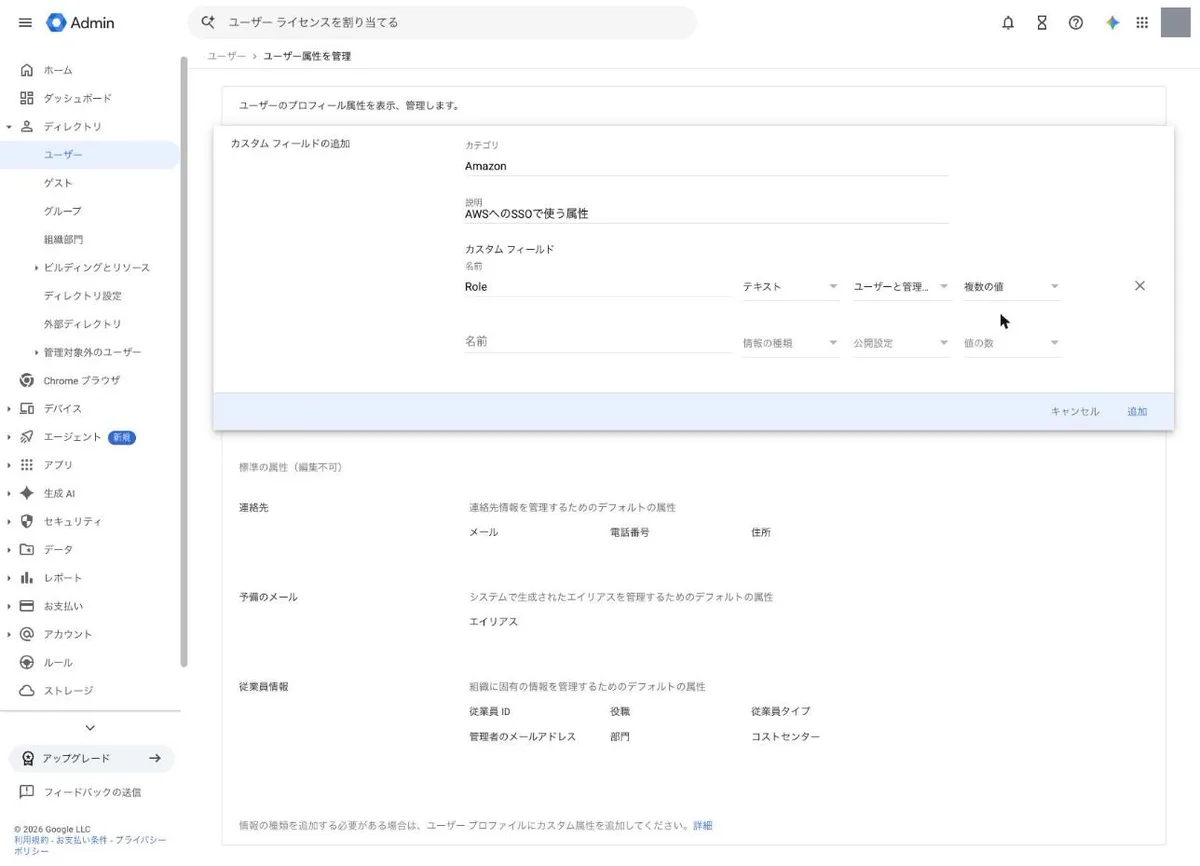
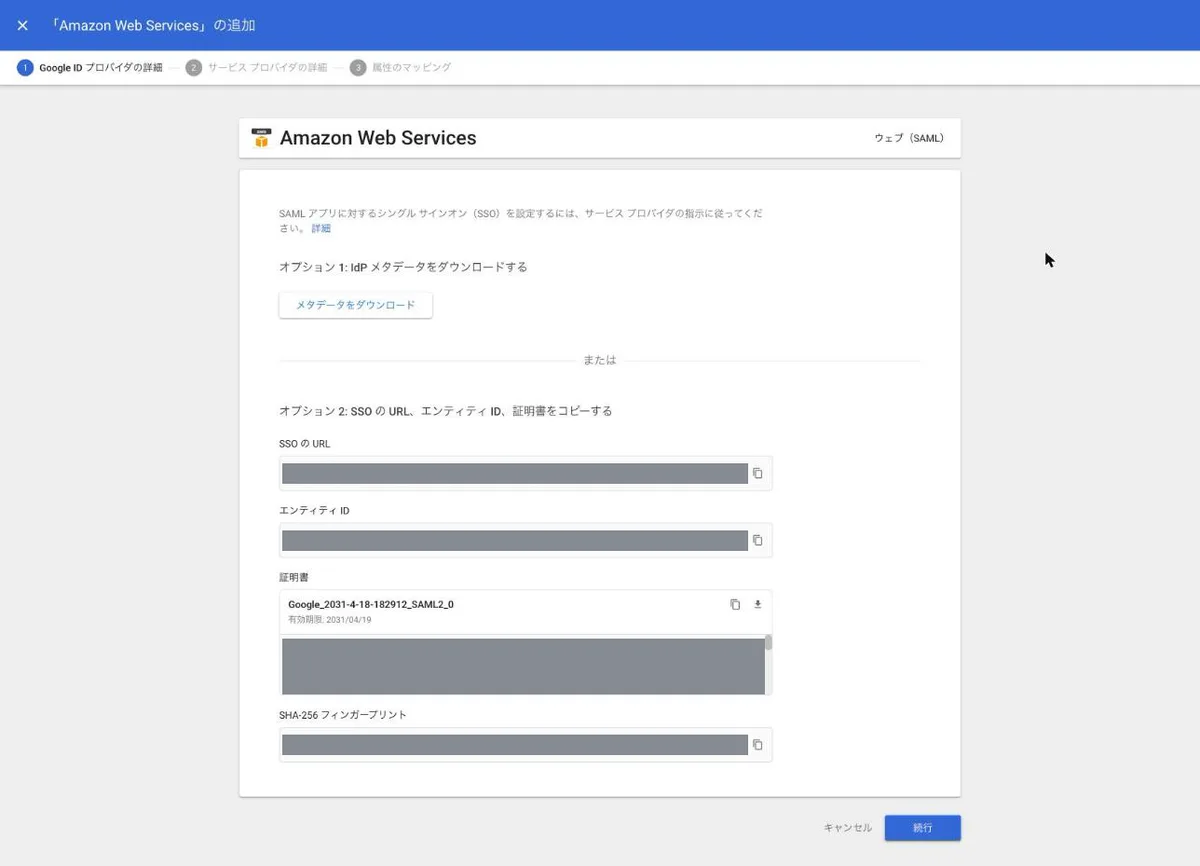
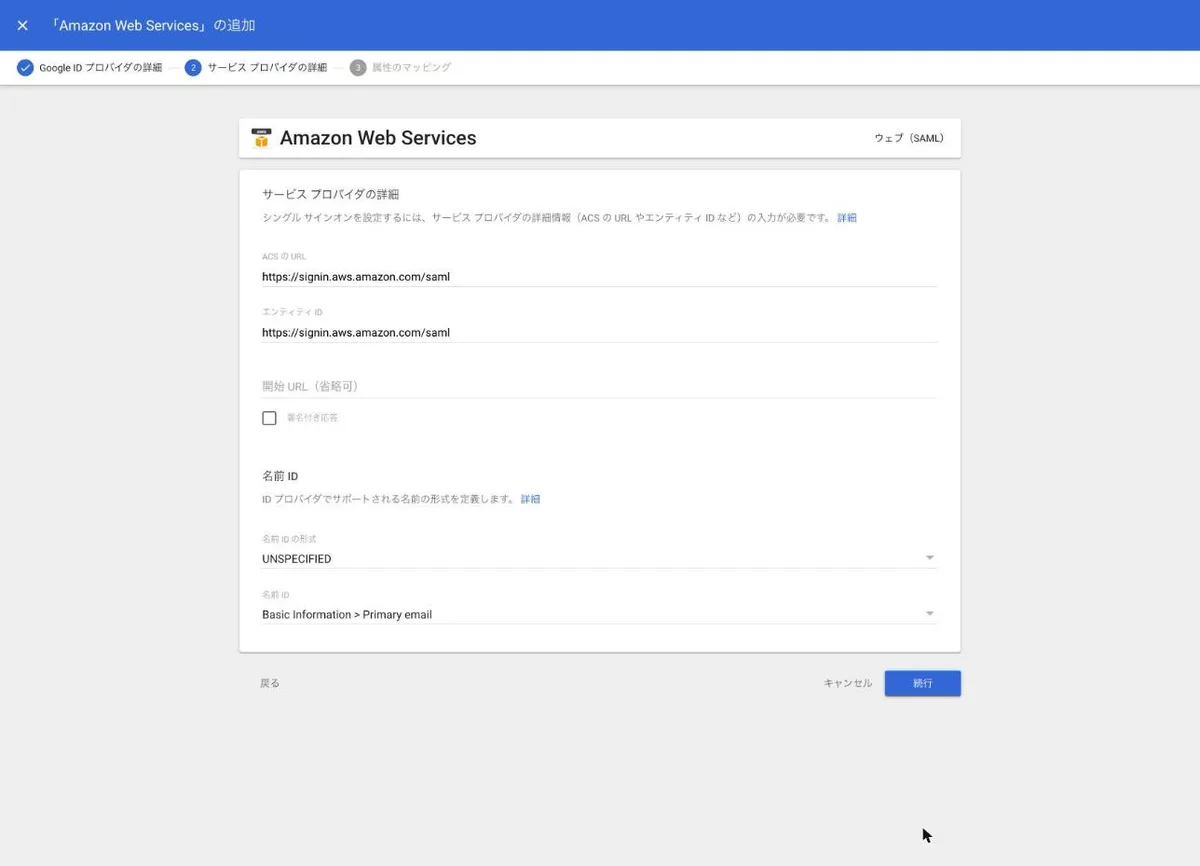
The author set up sign-in to the AWS Management Console with Google Workspace accounts through SAML[1], without IAM Identity Center. The AWS side registers a SAML provider built from Google's metadata file and creates an IAM role[2] that users log into directly. On the Google side, the setup uses the built-in Amazon Web Services app and a custom user attribute named Role, which holds the role's ARN[3] and the provider's ARN.
The role's policy allows listing and reading only one bucket[4], va-saml-demo-allowed-20261113, and it does not include s3:ListAllMyBuckets or any EC2 permissions. In the console, the author confirmed that files in the allowed bucket open by direct URL, while the bucket list, the contents of another bucket and EC2 instances are not visible. An IAM policy simulator also showed that writing and deleting in the allowed bucket are denied.
Access is limited to a test group with restricted sign-up, and only that group is switched on for the app. The author notes that without s3:ListAllMyBuckets, users need the bucket URL, while adding that permission would reveal the names of all buckets in the account.
Sources
-
JPZenn JA
Google WorkspaceからAWSにSSOして、特定のS3バケットしか見えないことまで確かめる