Running a CloudFront, API Gateway and Cognito Setup Locally on AWS Emulator
The author tested whether AWS Emulator, which became publicly available on 11 November, can run a more complex setup on a local machine. AWS Emulator[1] is a tool that runs AWS APIs locally, so the AWS CLI and SDKs can be pointed at it without changing code. It needs no AWS account and has no extra charges, and its resources are kept in memory and erased when it stops. The official documentation warns that it does not evaluate IAM and bucket policies the same way AWS does, so it should not be used for security testing.
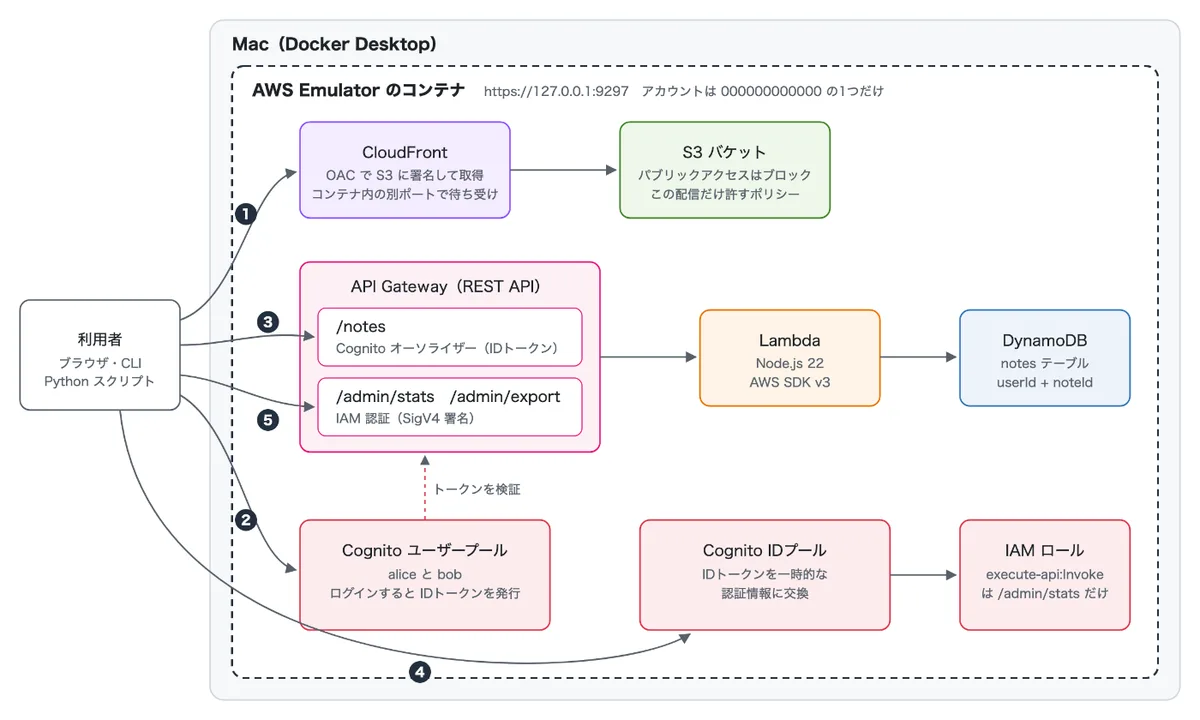
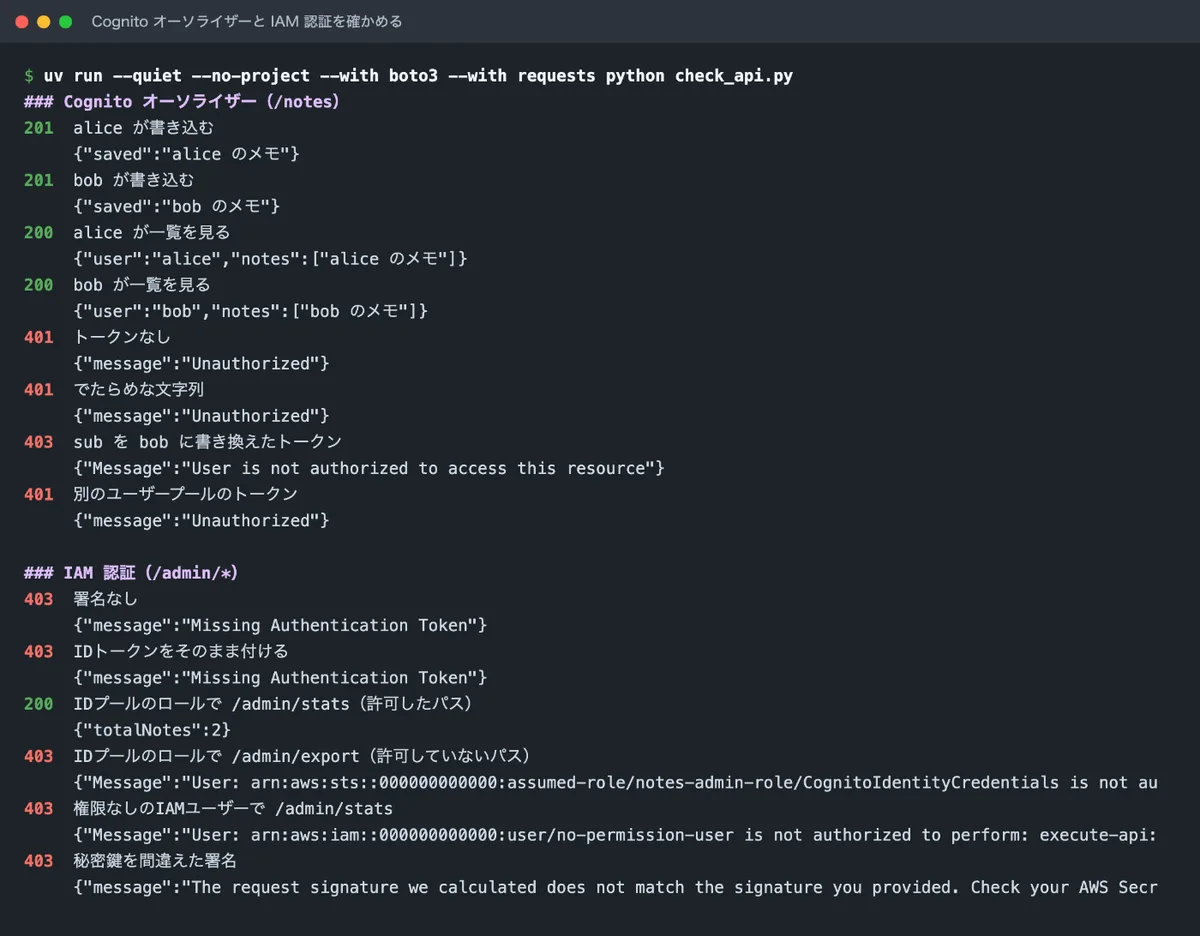
The test combined CloudFront, S3, API Gateway, Lambda, DynamoDB and Cognito. Static files are served through CloudFront, and S3 is kept private and readable only through OAC[2]. Users sign in to a Cognito user pool to get an ID token[3], which API Gateway checks before Lambda reads and writes DynamoDB for the /notes route. The /admin/* routes use IAM authentication: the client exchanges the ID token for temporary credentials through a Cognito identity pool and signs requests with SigV4[4]. The role allows only /admin/stats, not /admin/export.
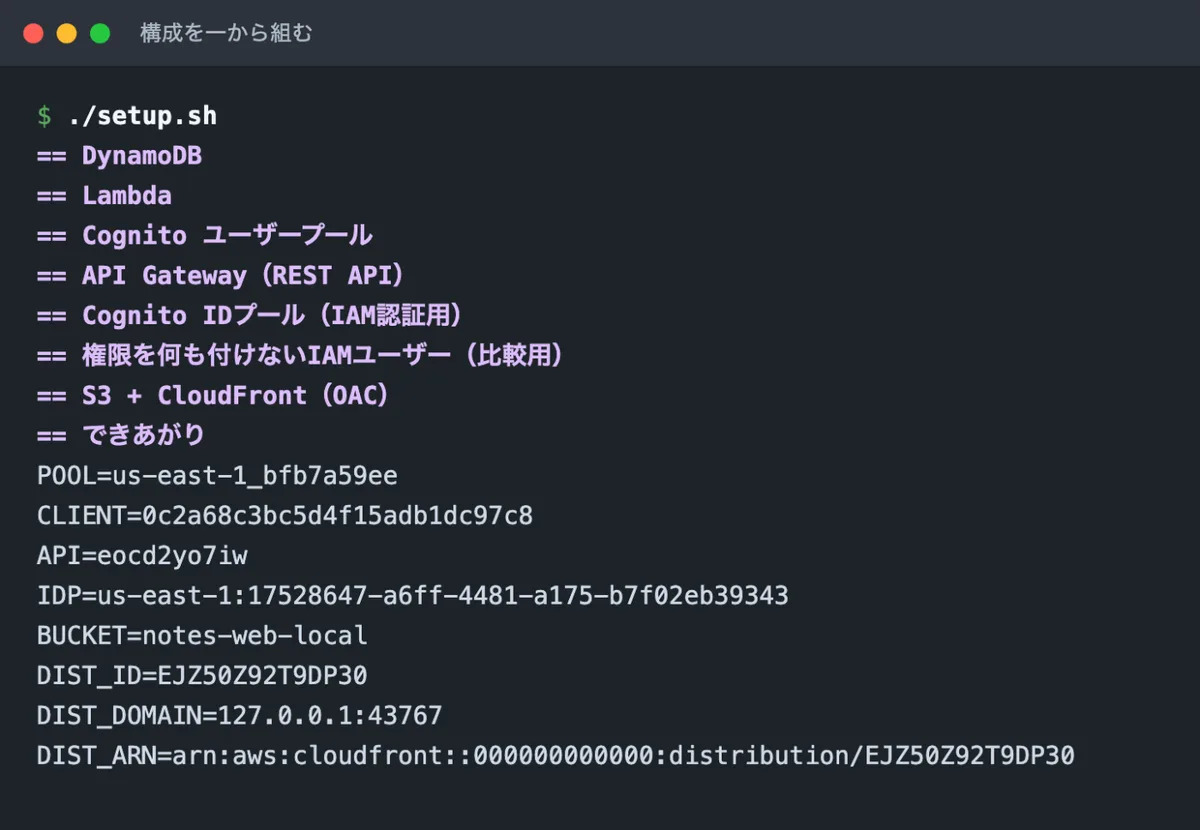
The author ran the emulator on a Mac with Docker, using the Arm package and the -t off option to turn off telemetry, and it used about 200 MB of memory while idle. A shell script created all the resources with ordinary AWS CLI commands. The author set out to check three things: users can read and write only their own notes, IAM-protected APIs call only the paths the policy allows, and S3 content can be reached only through CloudFront.
Sources
-
JPZenn JA
AWS Emulatorで、CloudFront+API Gateway+Cognitoの構成をローカルで動かしてみた