Run OpenClaw in Docker with a local Ollama model and Discord
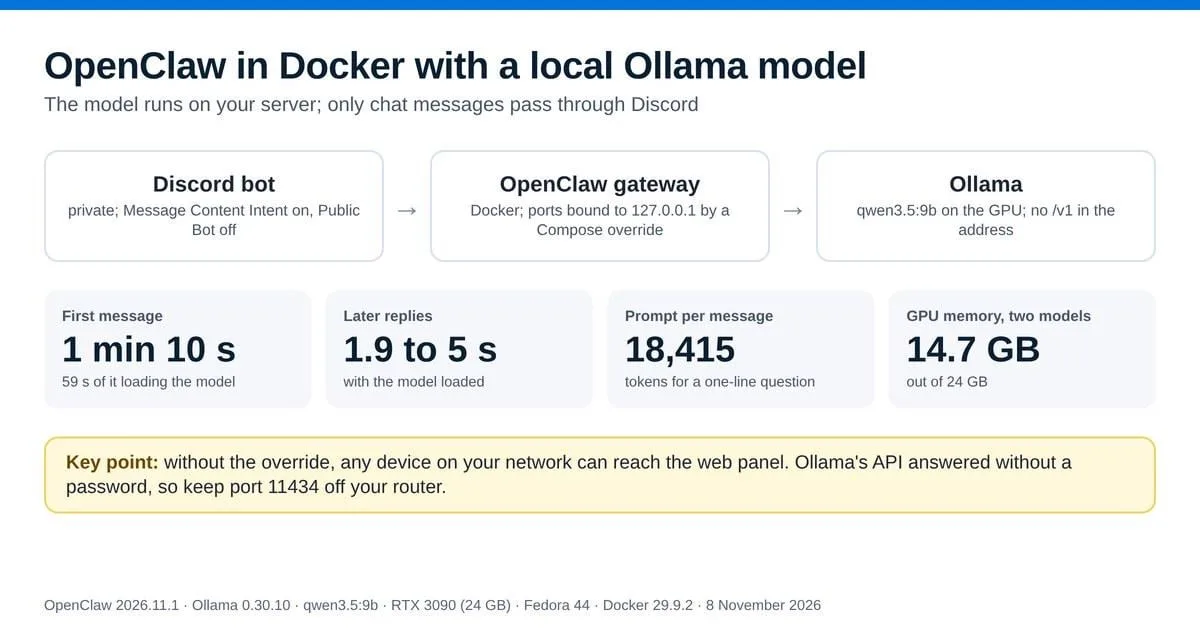
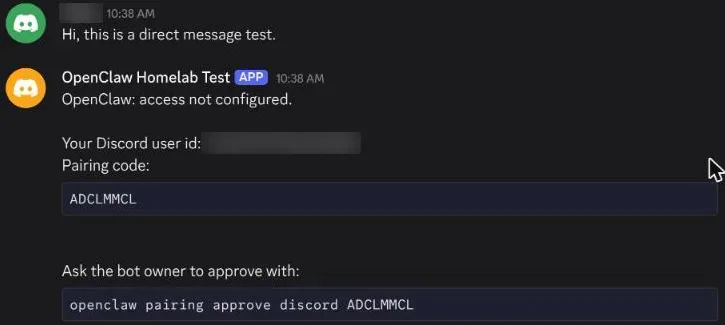
OpenClaw[1] is an open-source AI agent that runs as a long-lived gateway[2] process and connects to chat apps such as Discord, Telegram or WhatsApp. This guide runs it in Docker on a home server, with a model served by Ollama[3] on the same machine and a private Discord bot as the chat window. The model runs on your own hardware, and only the chat messages pass through Discord.
The gateway is the only part that talks to both Discord and Ollama. It reads messages, adds its system prompt and tool definitions, sends the request to Ollama, and posts the final answer in Discord. No ngrok, tunnel or port forwarding is needed, because the gateway opens the connection to Discord itself. On the test box the bot answered while all OpenClaw ports were bound to 127.0.0.1.
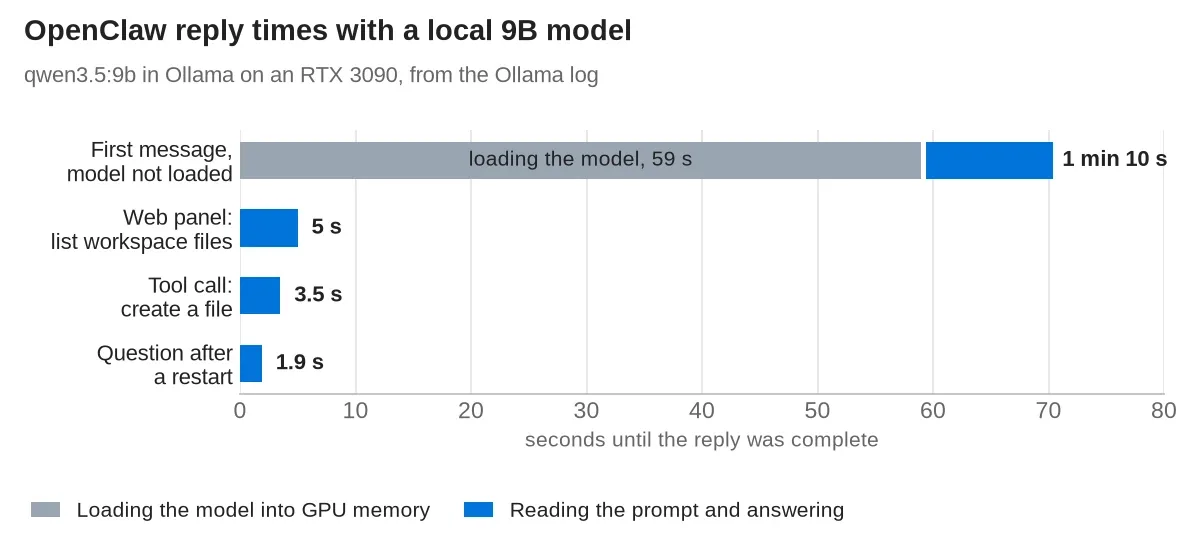
The test machine was a desktop with an RTX 3090 and a 24 GB card. The qwen3.5:9b model, a 6.6 GB download, used about 6.3 GB of GPU memory, and together with an embedding model the two used 14.7 GB. The gateway container used 2.4 GB of RAM when idle. The guide warns that an agent that can run commands is a bigger risk than a plain chat bot, so it keeps the gateway off the network and limits the bot to its owner.
Read the original homebrewserver.clubDiscussion
Sources
-
homebrewserver.club
Run OpenClaw in Docker with a local Ollama model and Discord