Ollama, llama.cpp, LM Studio and vLLM compared on an RTX 3090 with Qwen3.8-27B
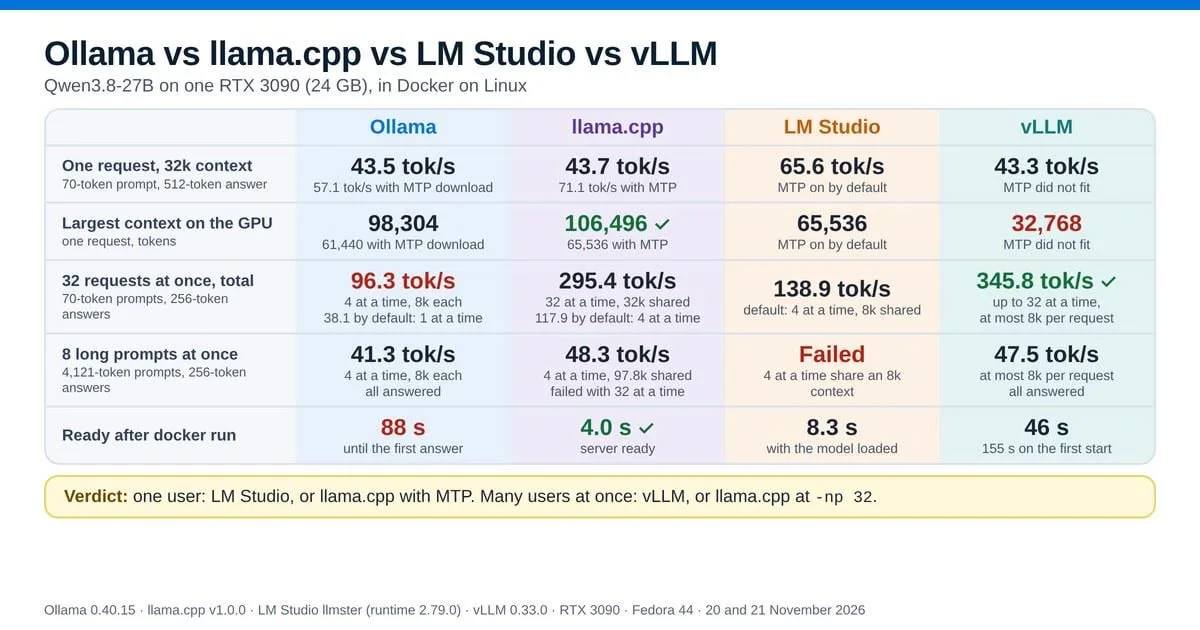
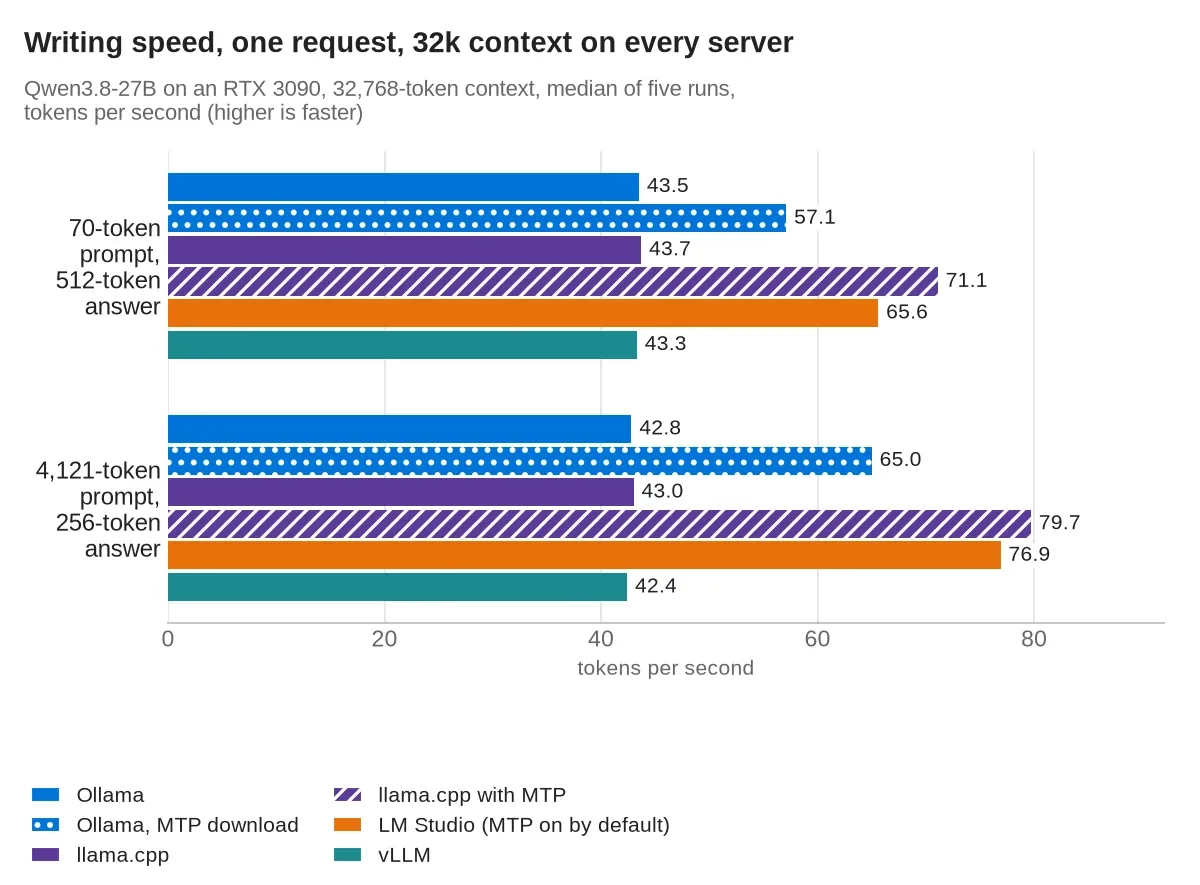
The test ran Ollama, llama.cpp, LM Studio and vLLM one after another on the same RTX 3090, each with Qwen3.8-27B, and sent them the same requests: one at a time, then up to 32 at once. With one request at a time, Ollama, llama.cpp and vLLM wrote 43.3 to 43.7 tokens per second, and the context size did not change the speed. MTP[1] made the biggest difference: LM Studio, which turns it on by default, wrote 65.8 tokens per second at an 8k context, and llama.cpp with MTP wrote 70.9. Ollama with its separate MTP download wrote 57.1 at 32k.
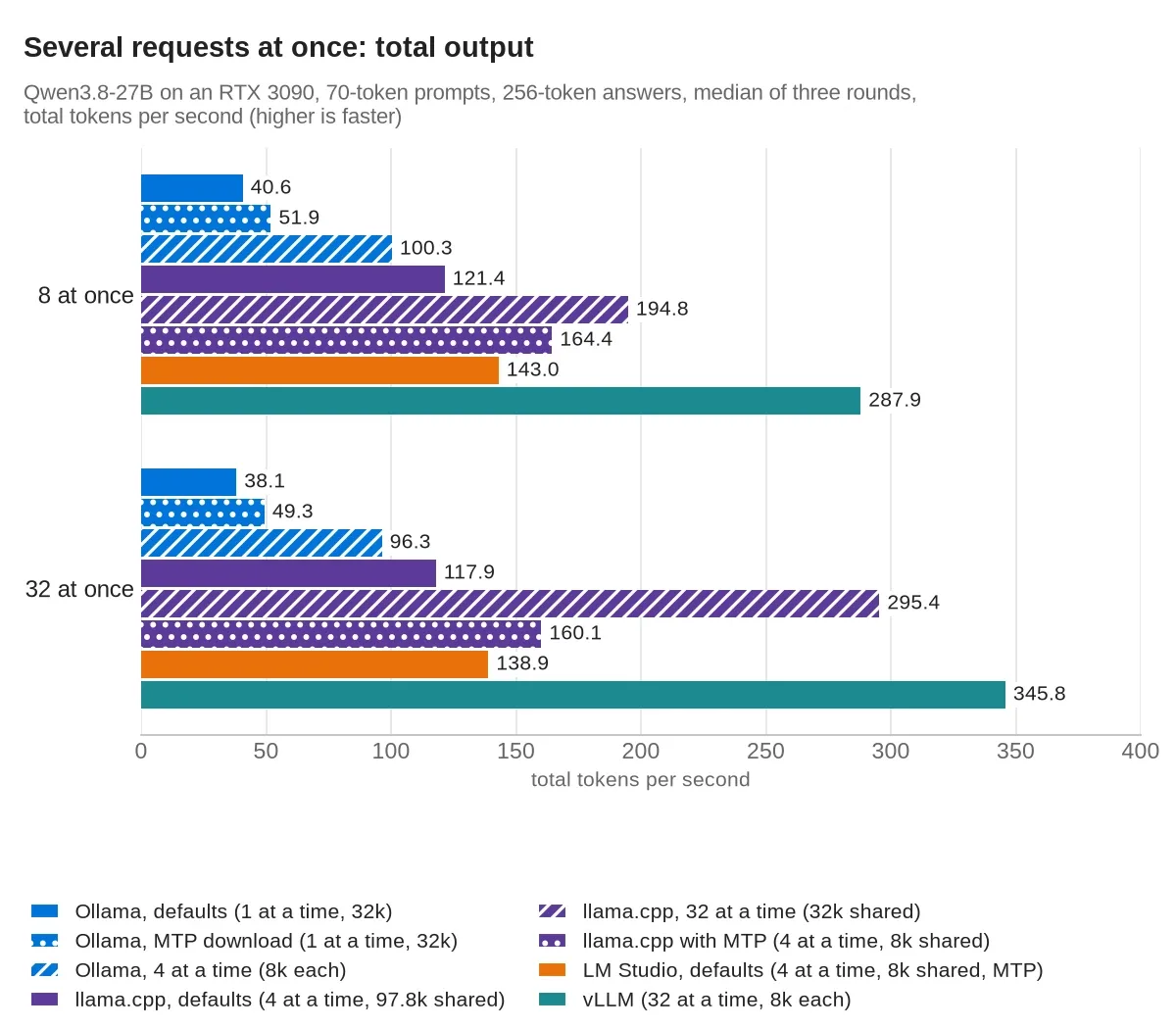
With 32 requests at once, vLLM produced the most, 345.8 tokens per second in total. llama.cpp with a shared 32k context produced 295.4, LM Studio 138.9, and Ollama at most 96.3. On the 24 GB card, the largest context that fit was 106,496 tokens on llama.cpp, 65,536 with MTP and 32,768 on vLLM.
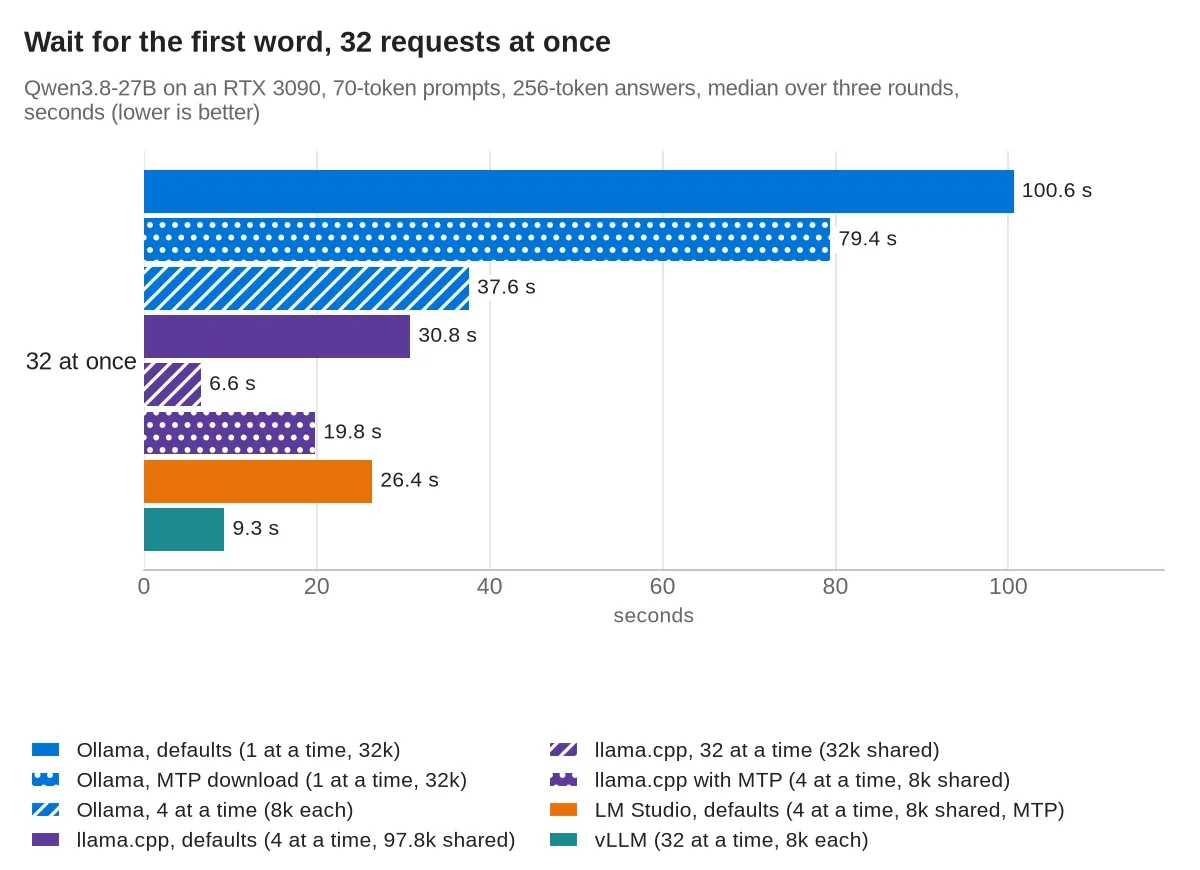
The three llama.cpp-based servers read GGUF[2] files, so one GGUF file was loaded into all three. vLLM used a different file, a 4-bit AWQ[3] upload, because it loads models in the Hugging Face format. llama.cpp was ready in 4 s, LM Studio in about 8 s and vLLM in 46 s, while Ollama answered its first request after 88 s.
Repository Ollama github.com
Open source tool for running LLMs locally on your own computer, with a simple CLI and a local API server.
Repository llama.cpp github.com
Open source LLM inference engine written in C/C++ that runs language models locally, including GGUF files, on CPUs and GPUs.
Read the original homebrewserver.clubDiscussion
Discussion
Commenters mostly say that Ollama is a wrapper around llama.cpp and uses the same engine, though one notes it is more beginner friendly. Others call MTP a game changer, and one suggests sending a one-token request at startup and raising keep alive so the model loads before the first user request.
Sources
-
homebrewserver.club
Ollama 0.40 vs llama.cpp, LM Studio and vLLM on a 3090 with Qwen3.8-27B: least GPU memory (17 GiB at 32k), but the lowest output at 32 requests and 88 s to the first answer