GitHub Issues can now attach HTML and Markdown as Artifacts
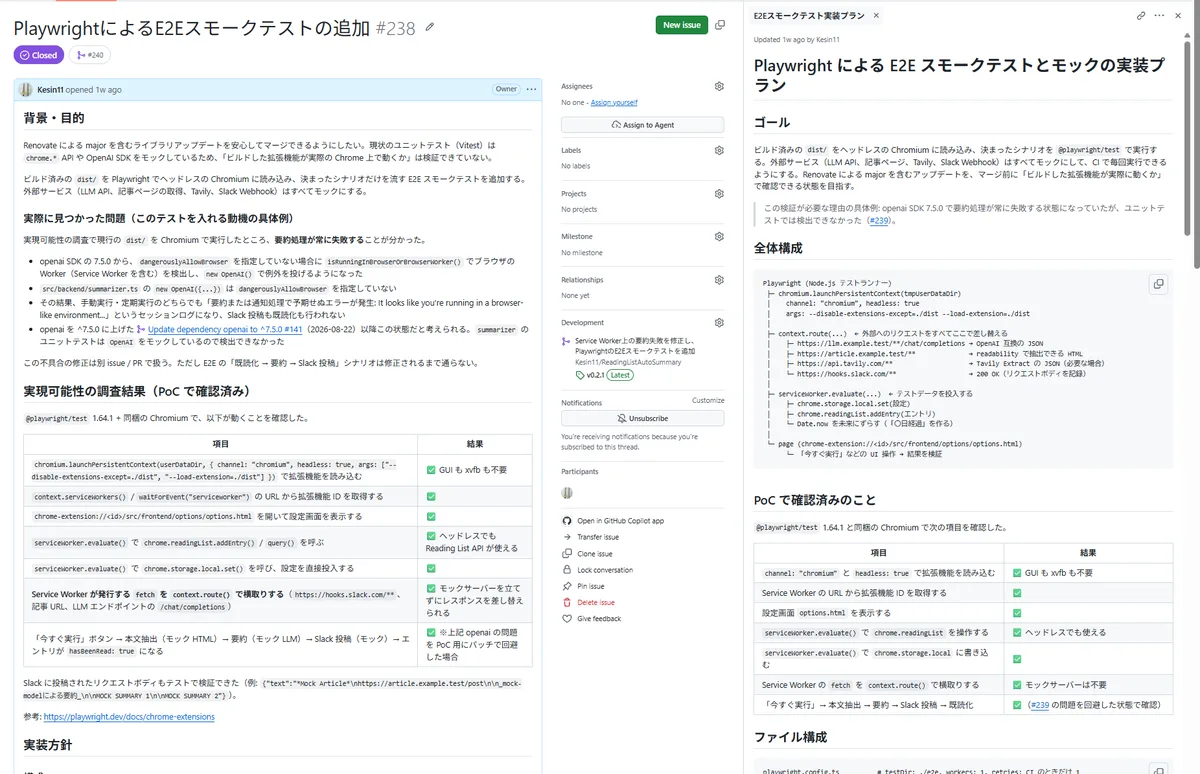
GitHub has added Issue Artifact, a feature in Public Preview[1] that lets you attach an HTML or Markdown file to an Issue. The file opens in a panel on the right side of the Issue page. Each Issue now has an Add artifact button next to Create sub-issue, and attached artifacts are listed at the bottom of the page. The help for the gh issue artifact create command gives an example of attaching a plain text file, such as a log.
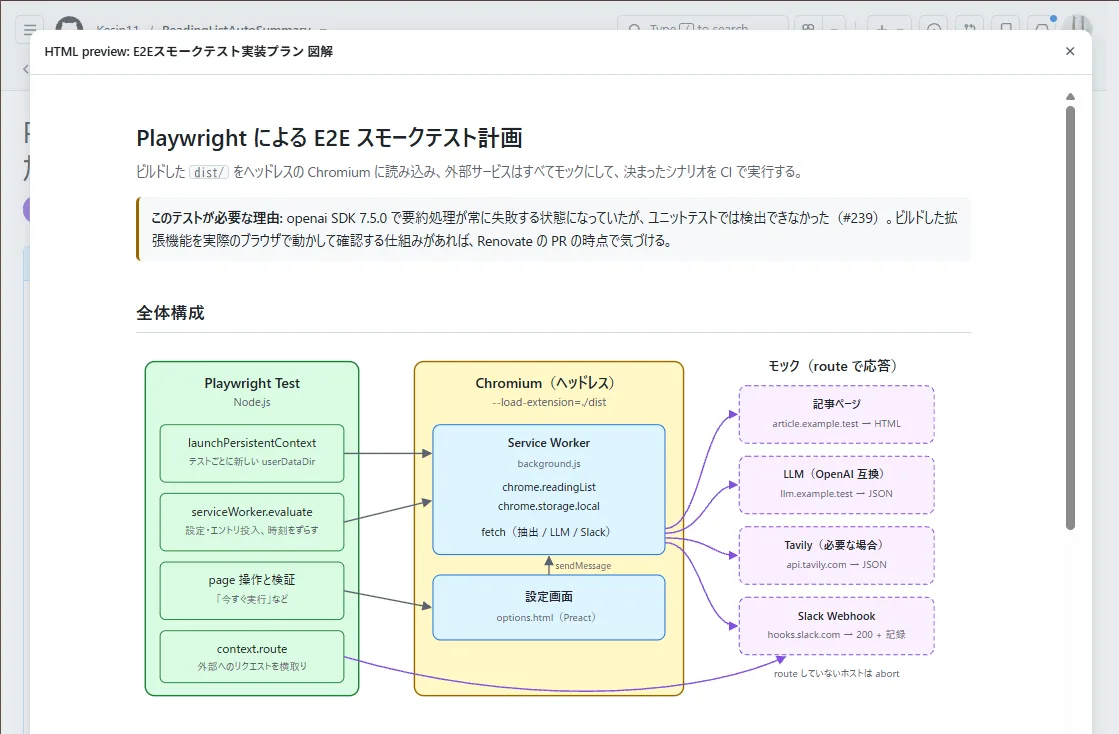
Most artifacts are attached not by hand but with gh issue artifact create, run by coding agents. Before this, the --attach option of gh supported only images and videos. The panel has a fixed maximum width, so diagrams look small. They can be enlarged with the maximize button in the upper right corner of the panel, and a feedback Discussion on GitHub Community asks for this limit to be changed.
In testing, static HTML, inline CSS, tables and SVG bar charts displayed correctly. Interaction with CSS and HTML (<details>) worked, and so did CSS @keyframes and SVG <animate> animations, the latter after a click. JavaScript onclick handlers and canvas animations did not run. PNG images displayed when embedded as a data URI[2] in base64[3] encoding, but images referenced by a relative path to a separate file did not.
Sources
-
JPZenn JA
GitHub IssueにArtifactとしてHTMLとMarkdownを添付できるようになった