Fixing a bottom bar overlapped by the toolbar in WKWebView with obscuredContentInsets
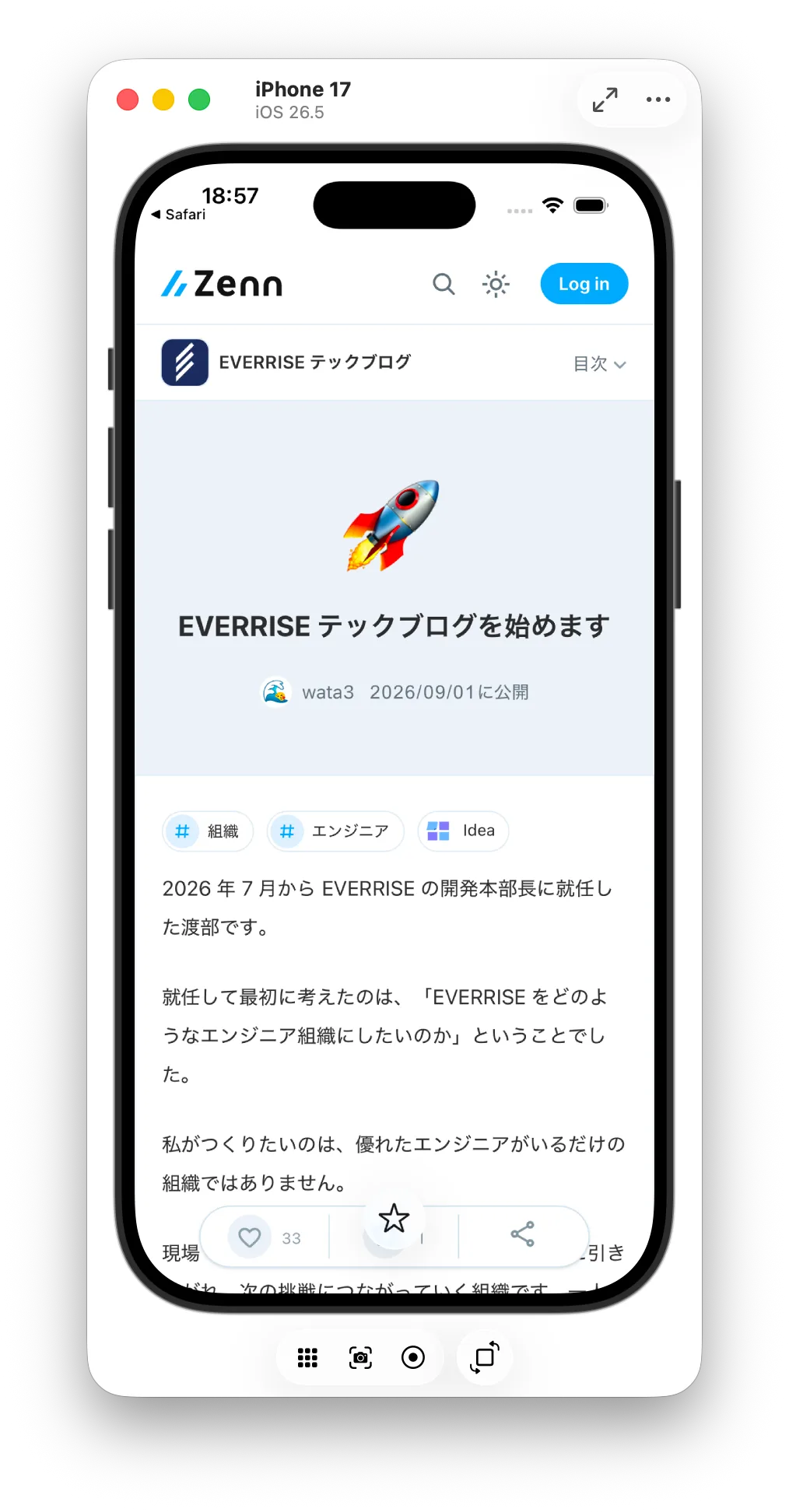
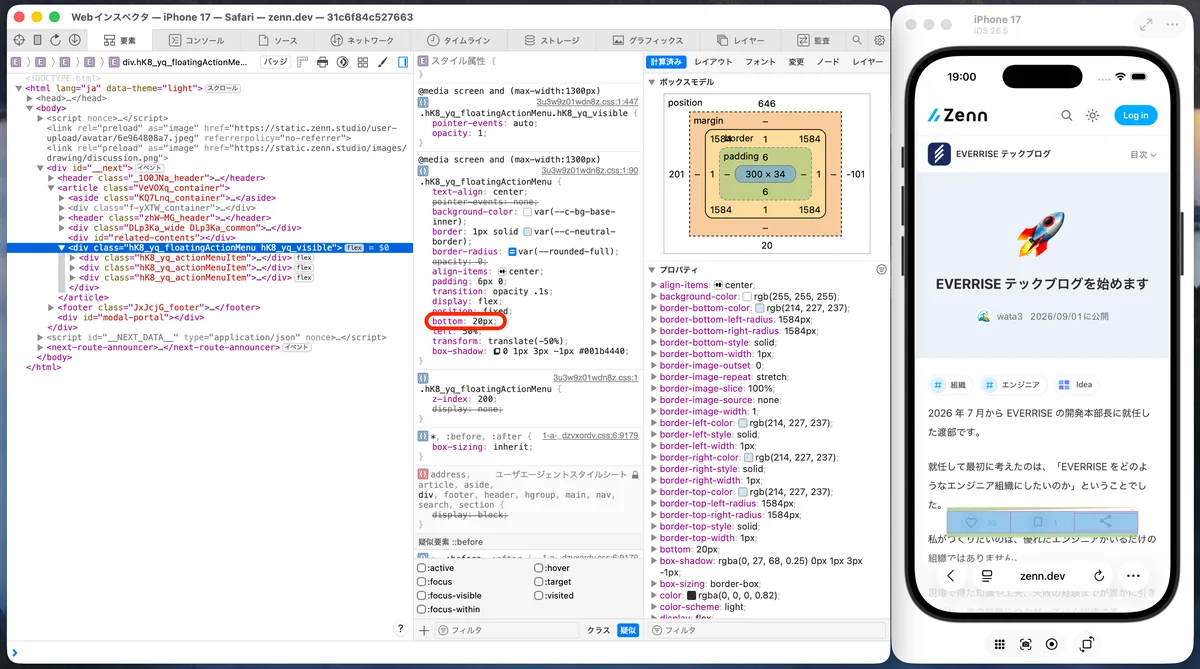
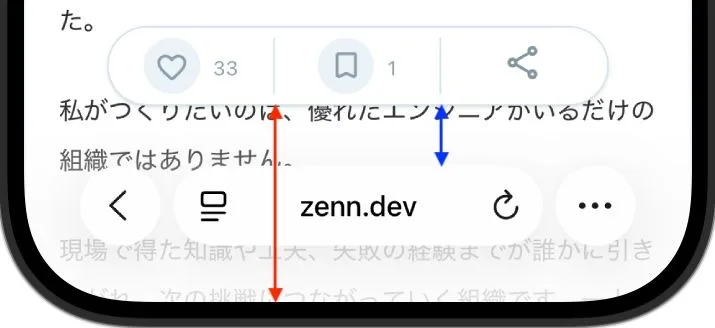
The author showed the Zenn tech blog in an iOS 26 app using WKWebView[1]. Zenn's bottom bar with like, bookmark and share buttons is set to position: fixed; bottom: 20px, and it overlapped a native button in the app, so the bookmark button could not be pressed. The same page in Safari did not overlap.
The cause is that fixed elements are placed relative to the layout viewport[2], and the web view extends to the bottom edge of the screen. In iOS 26.0, WKWebView gained the obscuredContentInsets[3] property, which tells WebKit how much of the view is covered by native UI so that the layout viewport shrinks by that amount. WebKit's public header describes this as "shrink the bounds of the layout viewport". The change was merged in July 2025.
When the author set a bottom inset of 80 pt, Zenn's bar moved above the toolbar, and the size of the web view did not change. contentInset did not help, because it does not change the size of the layout viewport. After the same setting was applied in the author's own app, the bookmark button could be pressed. The author could not confirm whether Safari itself uses this public property.
Apple shares (AAPL)
342.56 USD −2.8% since the news day, November 18
Close on November 20 Quotes: CNBC Chart by TradingView
Sources
-
JPZenn JA
WKWebViewの隠されたinsets 〜SwiftUIから呼び出す時の工夫を添えて〜