Comparing a home router and a rental wired line with a Go monitoring tool


The author, who now uses a coding agent for personal projects, found that the home connection was unstable for it, with errors that never appeared at the office. The home router had handled online meetings and live music streams without problems. After moving into a rental apartment, the author signed up for the built-in wired line, which runs from a shared space in the building to the room over telephone cable, expecting little difference in stability. To test this, the author wrote a monitoring tool in Go for a Raspberry Pi 5 and measured both lines for about two months.
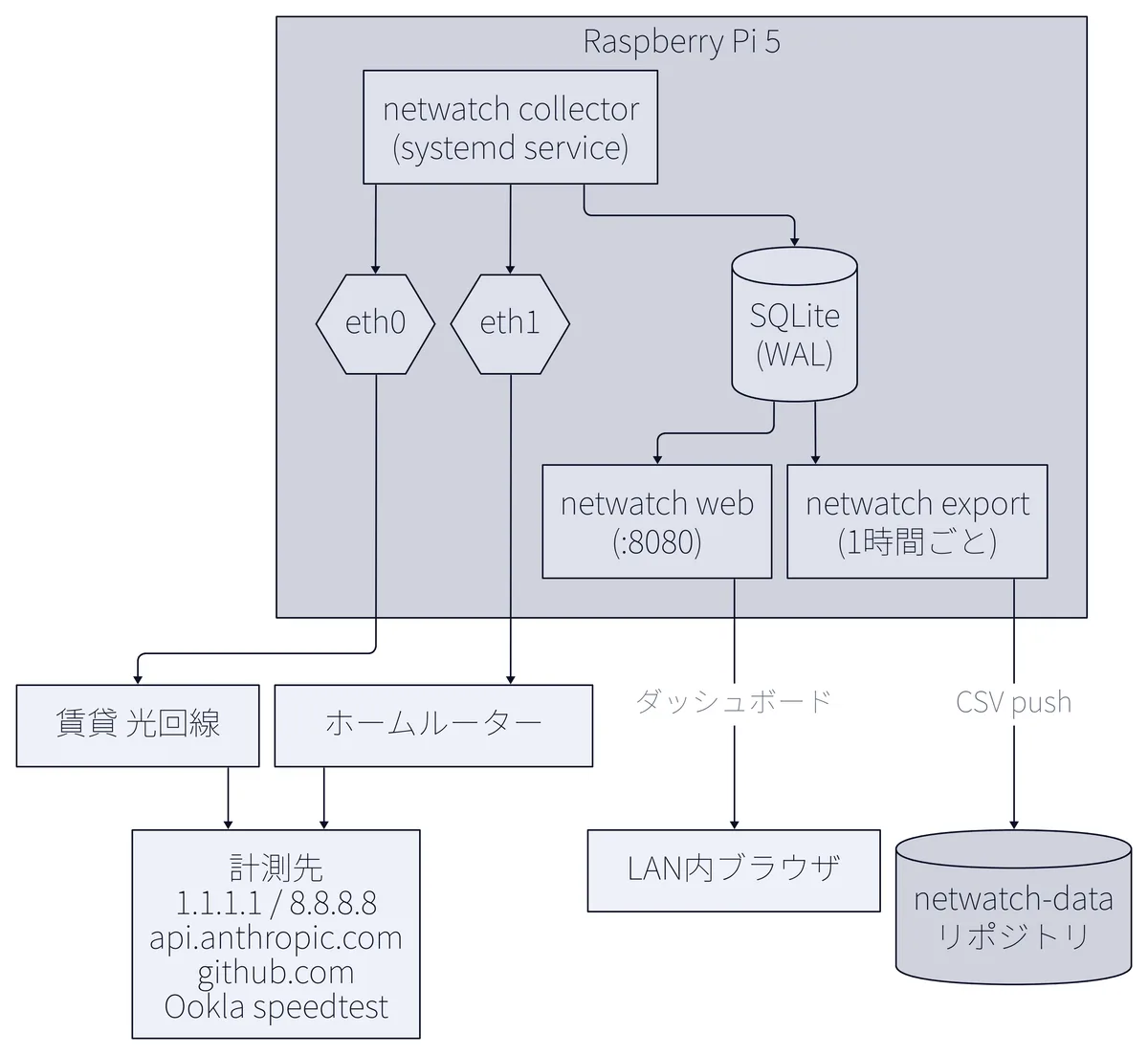
The Raspberry Pi has only one Ethernet port, so a USB gigabit adapter was added for the second line: the built-in port goes to the rental line and the USB port to the home router. The tool runs five kinds of measurements on each line: ping every 30 seconds, DNS and HTTPS checks every 5 minutes, a long-lived connection that logs only changes in state, and a speed test every hour. Ping measures round-trip time (RTT)[1] and packet loss, and the HTTPS check records TLS handshake time[2] and time to first byte (TTFB)[3].
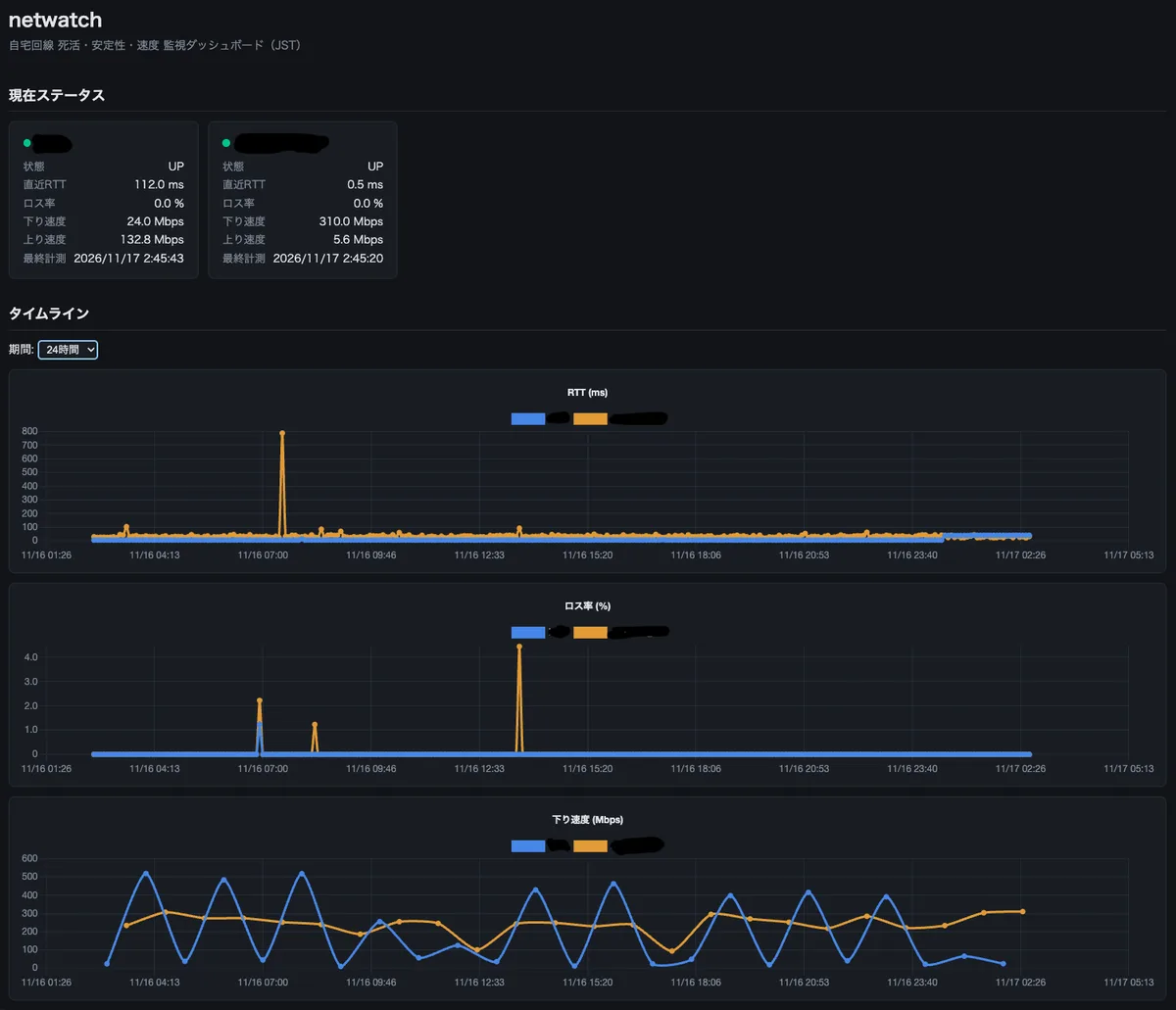
Results are saved to SQLite on the Pi, exported to CSV hourly and pushed to a GitHub repository, and a Chart.js dashboard is available on the local network. To keep each measurement on its own line, the tool binds the checks to the interface or source IP address, because otherwise all traffic would leave through one line. The source IP address and gateway of each line are resolved and cached, since DHCP[4] can change addresses.
Sources
-
JPZenn JA
Goで作った監視ツールで、ホームルーターと賃貸回線の品質を比べる(実装編)