Catchtype auto-corrects text typed in the wrong Korean/English input mode
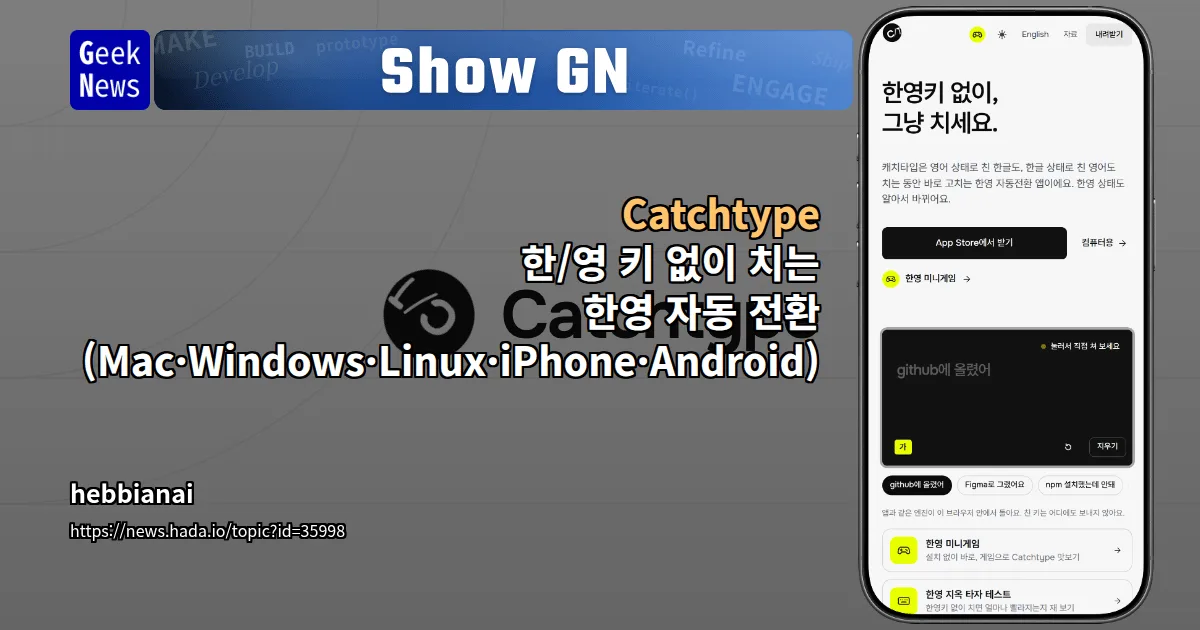
Catchtype is an app that fixes, as you type, text written while the Korean/English toggle was in the wrong state, and it also flips the input state so the next letters come out right; the developer built it because giving Claude Code instructions in Korean meant pressing the language key too often, and the default input methods of Mac, Windows and Linux cannot switch the language themselves. Every keystroke is read both as English and as 2-set Korean (dubeolsik[1]), and the reading that makes sense is chosen: typing ghldml Rmxskrh mergegkfrpdy in English mode yields “회의 끝나고 merge할게요”, and git push typed in Korean mode turns back into English. In words that mix the two languages, such as AI로, deploy했는데 or for문, it finds the boundary and converts only that part; code like v2 and build.sh is left untouched, ambiguous words like so are held briefly until the next word settles them, and nothing is changed after a click or Enter.
All judging happens on the device: typed text is never sent to a server, there is no account, password fields are passed through as typed, and the desktop app touches the internet only for a daily version check, when you accept an update or when you send feedback directly; a browser demo on the site runs the same engine with keys sent nowhere. Pressing the language key (on Mac, the one that normally switches the input source, like Caps Lock) right after a wrong conversion restores what was typed, a quick double press works after a space, ⌘Z or Ctrl+Z also works on desktop, and reverting the same word three times makes the app stop converting it; learned words can be viewed and deleted in the menu or settings. Known failures include English glued to a single Korean syllable as in 챗GPT, short words that need context like 걍, rare syllables as in 뭄바이, and passwords asked by another computer, such as sudo on a server reached over ssh — the app can be paused with ⌃⌥W (Ctrl+Alt+W on Windows and Linux); Windows cannot yet detect password prompts from the terminal.
On Mac (macOS 13 or later, version 0.3.0-beta.11) it is a notarized menu bar app that reads and fixes keys through the Accessibility permission instead of acting as an input method, keeps the input source on ABC while running, installs with brew install --cask hebbianai/tap/catchtype and supports Sebeolsik[2] 390 and Final in beta plus hanja (Chinese characters) and symbol input. The Windows build for Windows 10 and 11 x64 (0.3.0-beta.9.1) is not code-signed yet, so SmartScreen[3] warns on first launch, it does not work in windows opened with administrator rights, and Sebeolsik and hanja are still missing; the Linux version is an IBus[4] input method for Ubuntu 22.04, Debian 12 and Fedora 36 or later (0.3.0-beta.11) with Sebeolsik in beta and hanja supported, no fcitx5 or kime support yet, and testing so far limited to X11 inside containers and GNOME Wayland. On iPhone and iPad (iOS/iPadOS 17 or later) it is an App Store keyboard with one layout that prints both a Korean and an English letter on every key, and its suggestion bar can complete a word before it is finished or swap a mistyped word for the corrected one; the keyboard contains no networking code and types fully without the Full Access permission, while on Android 8 or later the Google Play keyboard has no internet permission, so typed text cannot leave the device. Everything is free with no in-app purchases on the App Store or Google Play; a Pro with features such as switching among three or more languages is planned, the basic Korean/English auto conversion will stay free, the source code is not open, and only the word data behind the judgments is published on the site under CC BY-SA 4.0.
Read the original catchtype.comDiscussion on GeekNews
Sources
-
KRGeekNews KO
Show GN: Catchtype - 한/영 키 없이 치는 한영 자동 전환 (Mac·Windows·Linux·iPhone·Android)