Astropad Workbench 1.4 adds built-in terminal and native iPhone Duo support
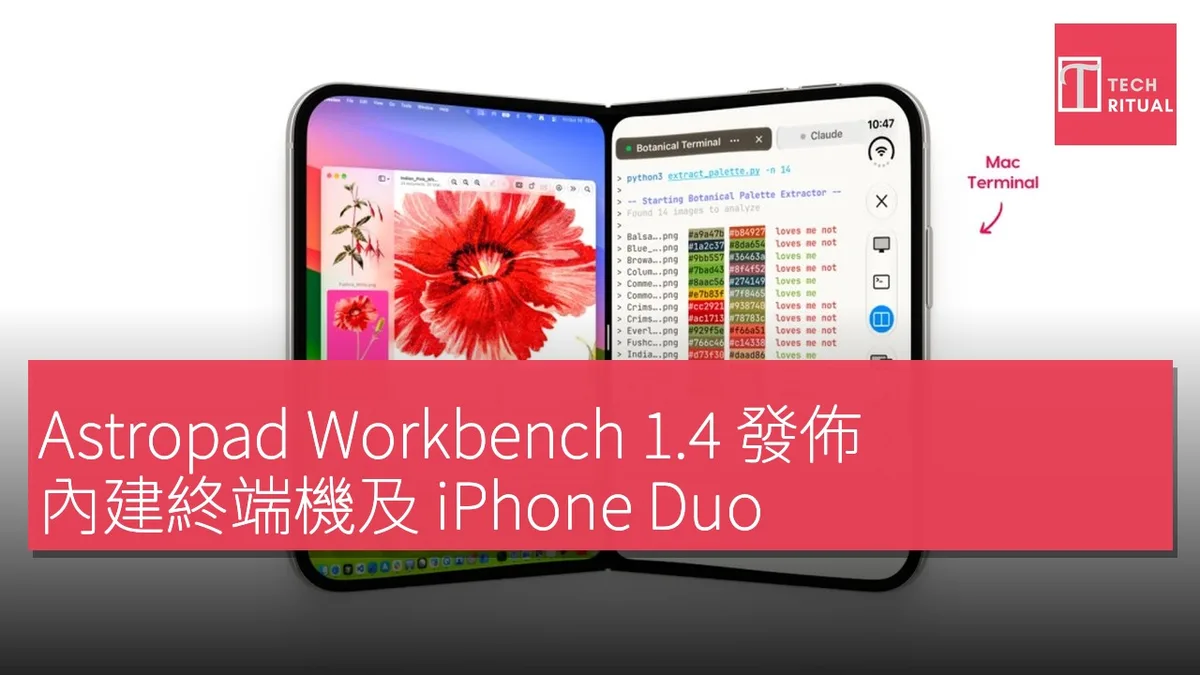
Astropad has released Workbench 1.4, an update to its remote desktop app for Apple devices that adds a built-in terminal[1], native iPhone Duo support and a new way to transfer files between Macs. The remote desktop view and the terminal can now be switched within one workflow without reconnecting. On the Mac side the terminal opens in a separate window, where logs can be viewed, scripts edited and processes restarted without opening a third-party SSH[2] app, and commands can be entered by voice. Workbench 1.3, released in August, had focused on faster streaming, a privacy mask and picture-in-picture; version 1.4 combines desktop and terminal work in a single flow.
The terminal keeps running between connections, so work started on an iPad can be continued later on an iPhone or another Mac. Drag-and-drop file transfers between Macs now work during Terminal sessions, which is aimed at moving log files, configuration files and scripts. On iPhone Duo the terminal runs natively and can stay visible on the phone screen while other functions are used. Overall performance still depends on the device, especially with many concurrent terminal sessions.
Astropad's documentation recommends macOS 15 or later, iOS 26 or later or iPadOS 26 or later as the most stable environment. Workbench remains free for 20 minutes per day, with subscription pricing of US$14.99 per month or US$79.99 per year beyond that.
Read the original techritual.com
Sources
-
HKTechRitual ZH
Astropad Workbench 1.4 發佈 內建終端機及 iPhone Duo 支援提升工作效率